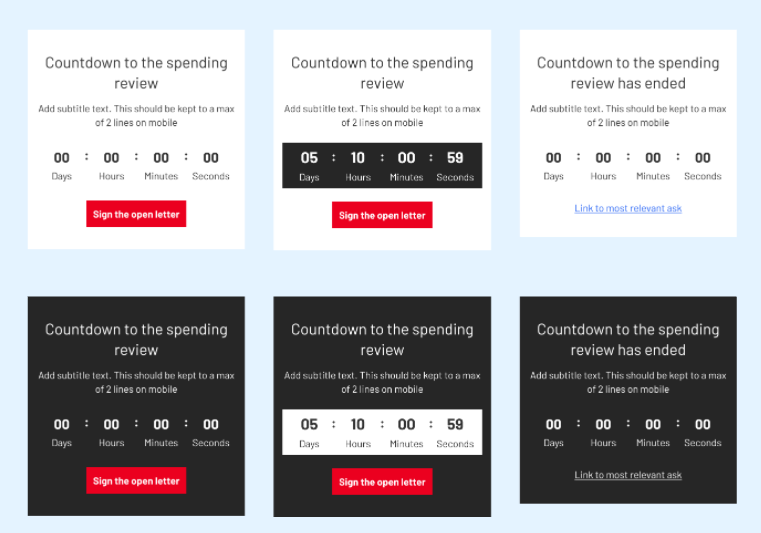
The countdown timer allows you to add a countdown clock into content. It’s a full width component that can include a title, some short copy and a CTA.
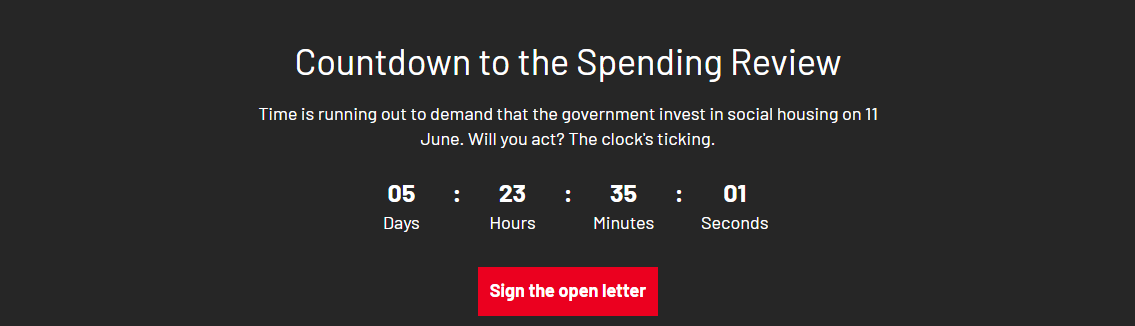
The colour and bolding of the clock will change depending on how close the countdown is to hitting zero, and the clock can be styled on either a dark or light background. Once the deadline has passed and the countdown has hit zero, you can opt to add a different title, line of copy and CTA.
This component was built for use specifically in campaigns content and is currently only available in the assemblies of the Page - Content template.
How to create a countdown timer
-
In the page you are editing, add a new Component - Countdown Timer in the assemblies section
-
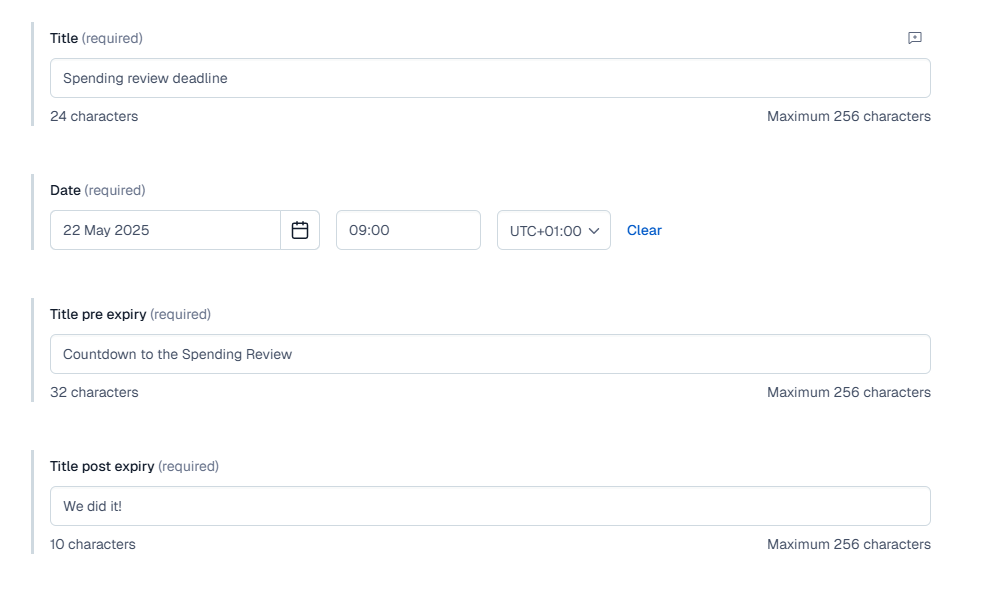
Add a title, which is the internal system name for your component
-
Next add the date and time you are counting down to along with the time zone. For British Summertime, this is UTC +01.00 and for the rest of the year it is UTC 00.00.
-
You then need to add your content for both pre-expiry and post-expiry of the countdown. This essentially means you need to add a title, any subtext and a CTA to be displayed while the clock is counting down and after the clock has hit zero. The title for pre and post-expiry are the only required fields of these that you must fill in order to publish your countdown.
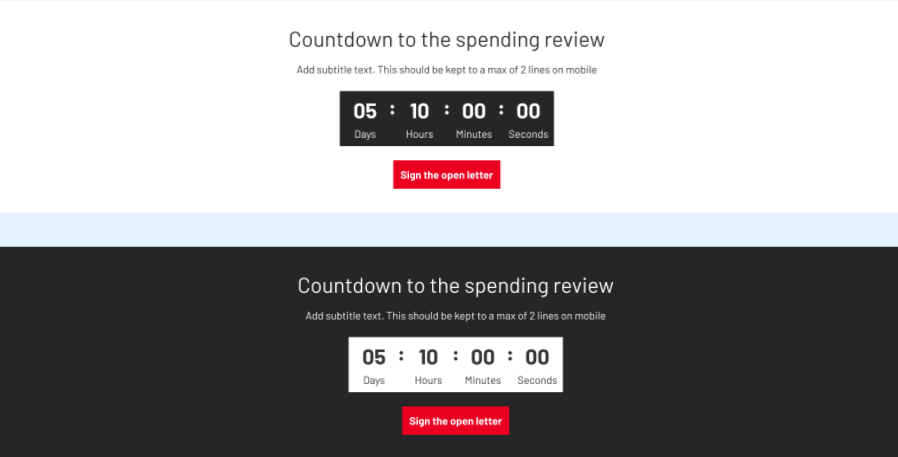
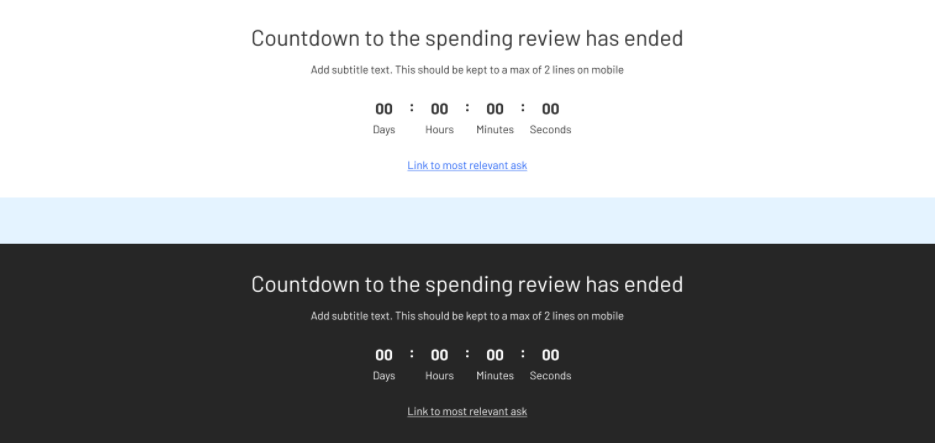
The styling for both pre and post-expiry on both light and dark backgrounds on desktop and on mobile can be seen in the images below.
-
For your post-expiry CTA, you will also need to add a few words of copy into the CTA post expiry field. This is because instead of a button, this link renders as a texted link, so will not automatically use button copy added to the CTA component. It will still pull the link destination from the CTA link post expiry field.
-
You must publish your component in order for it to be used in your live page.
Desktop styling on dark and light backgrounds
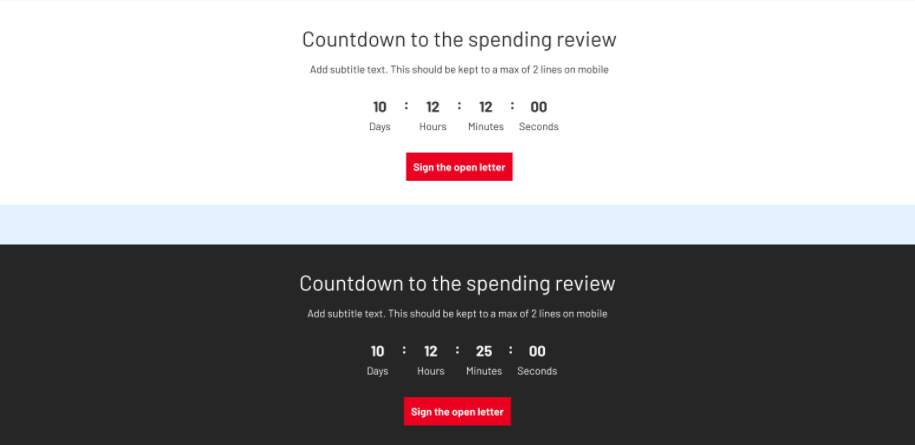
Countdown clock with more than 5 days left
Numbers are smaller with less emphasis for anything more than 5 days left on the clock.
Countdown clock from 5-0 days left
Numbers are increased and more defined from 5 days left onwards.
Countdown clock from 0
Message changes and numbers go back to a decreased size. There will also be an option for a new action that will appear as a link.
Mobile styling on dark and light backgrounds